Whitelisting the IP address or generating a public key provides a layer of authentication. These cybersecurity techniques prevent anonymous or unknown disbursement requests and allow only verified requests. Your IP address needs to be whitelisted in the Cashfree Payments production server or it rejects all incoming requests. Note that only the production environment needs approval from Cashfree Payments and not for the test environment.
Follow the instructions below to whitelist your IP:
- Login to the Merchant Dashboard.
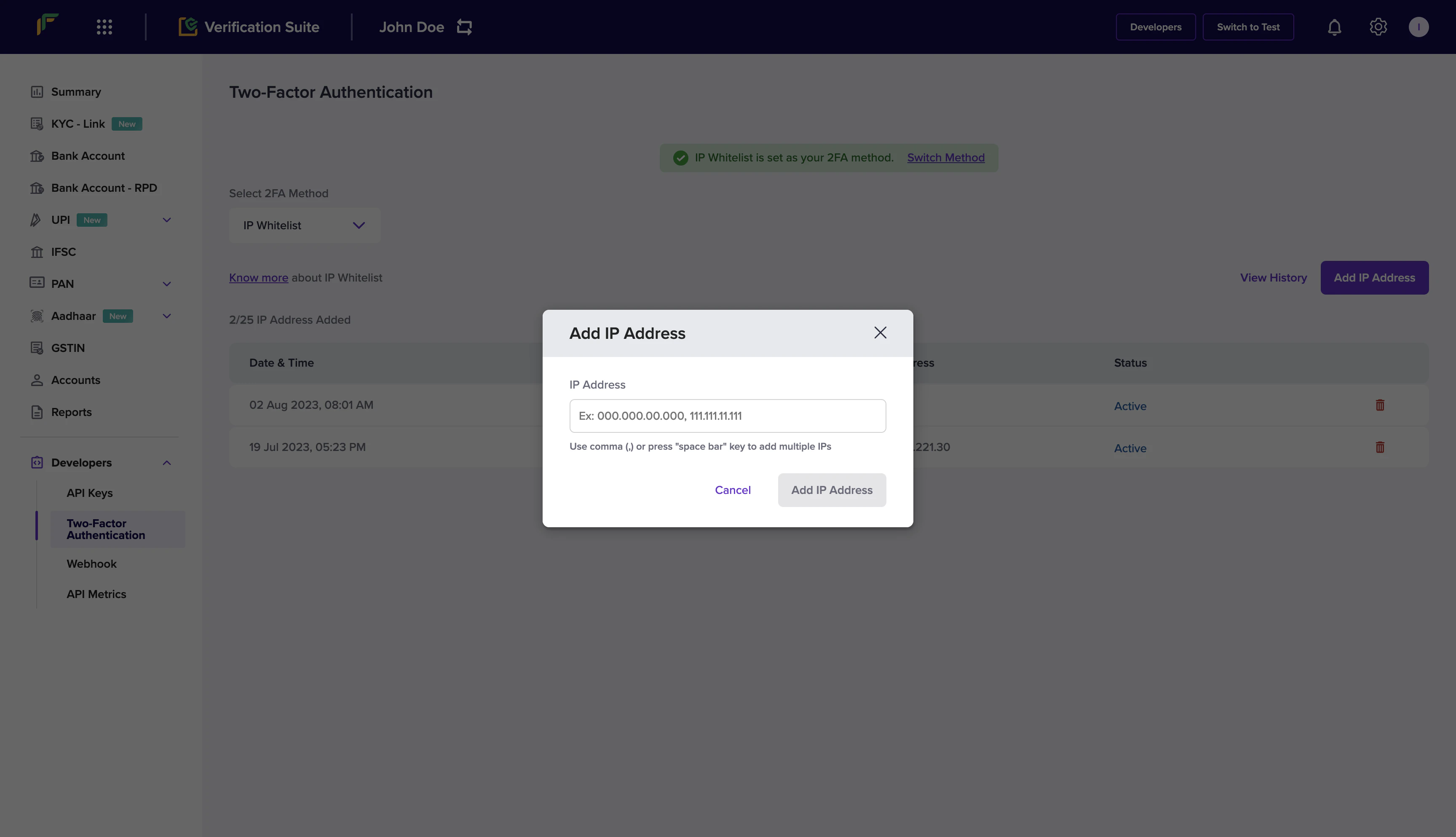
- Go to Developers in the navigation pane and select Two-factor authentication from the Secure ID section.
- In the Select 2FA method drop-down, choose IP whitelist.
- Click Add IP address.
- Enter the IP address you want to whitelist in the input field and click Add IP address to save the details. Only IPv4 addresses are supported. The whitelisted IPs are displayed in the grid.
You can whitelist up to 10 IPs.
How to find my IP address?Depending on your operating system, you can retrieve the IP of the system via multiple methods. You can also find your IP using helper sites such as https://whatismyipaddress.com/. Public key
If you do not have a static IP, you can generate a public key and pass it with the API request.
To generate a public key:
- Login to the Merchant Dashboard.
- Go to Developers > Payouts > Two-Factor Authentication > Public Key.
- Click Generate Public Key.
- The public key will be downloaded to your computer and the password to access it will be your email ID registered with Cashfree Payments.
Only one Public Key can be generated at a time.
 Below are the steps to generate your signature:
- Retrieve the
clientId that you pass in the X-Client-Id header.
- Append this with CURRENT UNIX timestamp separated by a period (.).
- Encrypt the data using the RSA public key you received. This encrypted value is the signature.
- Pass this signature through the header
X-Cf-Signature.
If you are using our library, refer to the library section. During initialisation, you must pass the key as a parameter.
When using 2FA Public Keys, merchants must include the X-Cf-Signature header in their API requests. Failure to do so will result in a ‘Signature missing in the request’ error.
import base64
import datetime
from cryptography.hazmat.primitives import serialization
from cryptography.hazmat.primitives.asymmetric import padding
from cryptography.hazmat.primitives.hashes import SHA1

def get_signature():
    client_id = "CF5709D2SJ082D7K8S739494M0"
    public_key_path = "/content/accountId_1415_public_key.pem"

    with open(public_key_path, "rb") as key_file:
        public_key = serialization.load_pem_public_key(key_file.read())

    encoded_data = f"{client_id}.{int(datetime.datetime.now().timestamp())}"
    return encrypt_RSA(encoded_data, public_key)

def encrypt_RSA(plain_data, public_key):
    try:
        encrypted = public_key.encrypt(
            plain_data.encode('utf-8'),
            padding.OAEP(
                mgf=padding.MGF1(algorithm=SHA1()),
                algorithm=SHA1(),
                label=None
            )
        )
        encrypted_data = base64.b64encode(encrypted).decode('utf-8')
        return encrypted_data
    except Exception as e:
        return None

# Example usage
signature = get_signature()
print(signature) #expires in 10 minutes

